If you’re still copying random pro crosshair codes from YouTube and Reddit, you’re leaving performance on the table.
Valorant in 2026 isn’t about who has the flashiest skin or the trendiest crosshair. It’s about who can see clearly, react fast, and stay consistent over hundreds of rounds. Your crosshair is a performance tool, not a cosmetic.
The problem? Most players treat Valorant crosshair settings like a fashion choice instead of a skill multiplier. They swap codes every few games, wonder why their aim feels “off,” and blame their rank on everything except the one thing that sits at the center of their screen for most of the time.
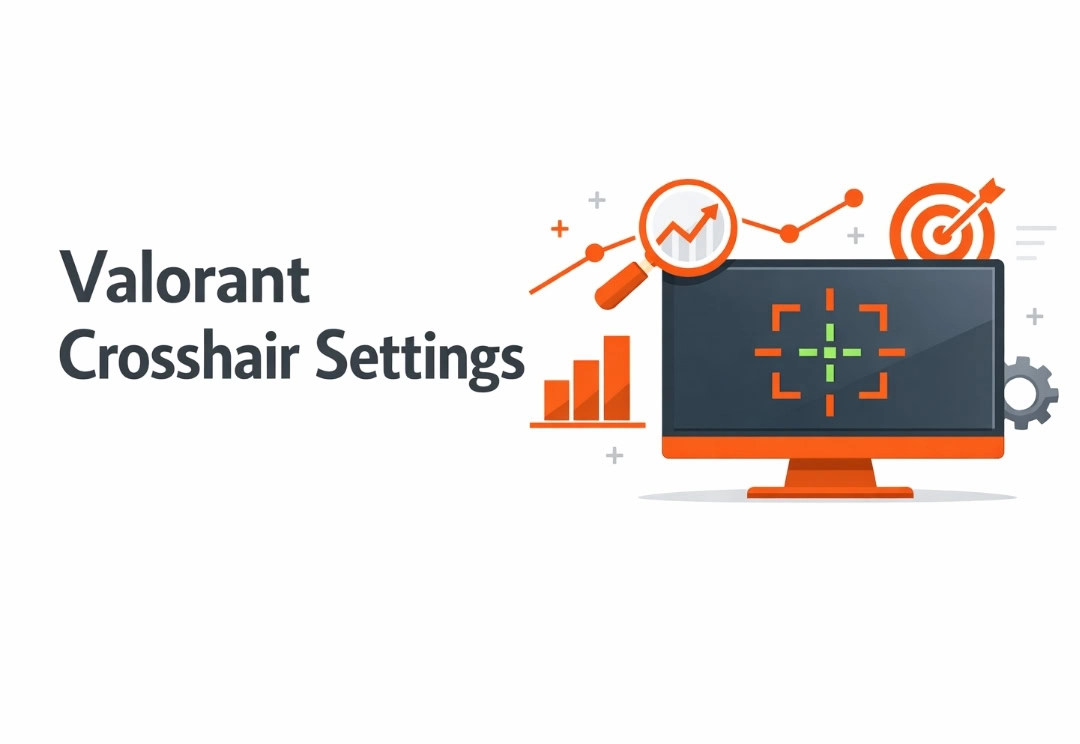
This guide will show you how to build your best Valorant crosshair step by step so you stop chasing trends and start building muscle memory.
Key Takeaways
- Copying a pro’s crosshair won’t copy their aim. Your sensitivity, resolution, and habits are different. Use pro settings as inspiration, not gospel.
- Smaller, simpler crosshairs win over time. Clean, static designs help you focus on heads, not on UI animations.
- Visibility beats aesthetics. A good crosshair is easy to see in every map and situation; it doesn’t disappear in smokes, skyboxes, or bright walls.
- Your role matters. Duelists, Sentinels, Controllers, and Initiators benefit from slightly different crosshair feels.
- Changing crosshairs constantly destroys consistency. Commit to one optimized setup for at least 1–2 weeks and track your performance.
If you’re serious about ranking up, your crosshair can’t be an afterthought anymore.
Why Your Valorant Crosshair Settings Matter More Than You Think
Let’s be honest: you’ve probably done this.
You saw TenZ, Demon1, or some streamer melt a lobby, grabbed their crosshair code, hit “Import,” and queued ranked, expecting magic.
Then… nothing. You still whiff. You still miss sitters. You still feel inconsistent.
Here’s why: aim isn’t transferable, but bad settings are.
Your crosshair affects:
- How quickly you lock onto heads
- How clearly you see enemies in motion
- How much visual noise you deal with in stressful fights
- How easily you track recoil and spray patterns
If your crosshair is too big, too thick, the wrong color, or constantly changing shape, you’re asking your brain to work harder just to understand where you’re aiming.
Good settings don’t play the game for you, but they stop getting in your way.
Step 1: Stop Letting the Game Decide—Open the Crosshair Settings
You can’t fix what you never look at.
To access your crosshair settings in Valorant:
- Open the main menu.
- Click the gear icon (top right).
- Go to Settings → Crosshair.
- Create a new profile so you don’t ruin your current setup—you want room to test.
Think of profiles like “test builds.” You wouldn’t permanently change your sensitivity every five minutes without testing; treat crosshairs the same way.
Step 2: Choose a Crosshair Type That Fits How You Aim
There is no single “best Valorant crosshair settings,” but there is a best crosshair for you.
Let’s break down the main archetypes and when they shine.
1. The Clean Static Cross
Best for: Most players
Why: Simple, readable, and consistent.
This is the small plus sign you see on a lot of pros:
- No movement animation
- No outer lines
- Just a tight, controlled center
Use this if:
- You like rifles and one-taps
- You want something “default solid” that you can refine over time
- You’re coming from CS:GO or other tac shooters
2. The Minimal Dot
Best for: High-precision players with good tracking
Why: Zero clutter, all focus on center.
A tiny dot can feel insanely crisp when your fundamentals are decent:
- Perfect for players who always aim at head level
- Great on high-resolution monitors
- Forces you to be honest about your aim
Use this if:
- You’re confident in your micro-adjustments
- You hate visual noise
- You play mostly rifles and Sheriff/Guardian
3. The Box / Square Crosshair
Best for: Players who aim by “framing” the head
Why: The box shape helps you visualize where the head sits inside the crosshair.
Short inner lines with a tiny gap make it feel like you’re putting enemies “in a box”:
- Easy to align on heads at medium range
- Still minimal enough to not feel chunky—if you don’t overdo thickness
Use this if:
- You like having a clear reference area, not just a point
- You take a lot of duels at common head height angles
- You prefer structure over ultra-minimalism
4. The Dynamic / Error Crosshair
Best for: Newer players learning accuracy rules
Why: Moves when you move or spray, showing when you’re inaccurate.
Movement / firing error crosshairs expand as you strafe or spray:
- Great training tool
- Teaches you to stop before you shoot
- Shows you how much your aim “opens up” when spraying
Use this if:
- You’re still learning to counter-strafe and control bursts
- But plan to eventually switch to a static version for competitive consistency
Step 3: Dial In the Settings That Actually Matter
Let’s walk through the core settings one by one and make them work for you.
Color: Visibility First, Aesthetics Second
Ask one question: Can I see this on every map and against every agent?
Safe, high-visibility options:
- Cyan
- Green
- White (with outlines on)
Common mistakes:
- Yellow that disappears in bright areas
- Purple that blends into certain abilities and skins
- Red that looks cool on screenshots but gets lost mid‑fight
Action:
Pick cyan or green. Load a custom game and check:
- Bright skies and walls (Breeze, Bind)
- Dark corners (Ascent, Icebox)
- Smoke edges and ability spam
If you lose your crosshair in any of those, change it.
Outlines: Your Insurance Policy
Outlines help your crosshair stand out no matter what’s happening on screen.
- Turn Outlines: On
- Set Thickness: 1 (2 if your resolution is low or your monitor is small)
- Keep opacity at or near full
This small tweak saves you from disappearing crosshairs in chaotic situations.
Center Dot: Precise or Distracting?
The center dot is a preference call:
Use a dot ON if:
- You like pixel-perfect one‑taps
- You want a clear center inside your crosshair
Use dot OFF if:
- You rely on the intersection of lines
- You find the dot bulky or distracting
If enabled:
- Thickness: 1–2
- Opacity: 1
Don’t make it huge. A center dot shouldn’t look like a sticker in the middle of your screen.
Inner Lines: The Core of Your Crosshair
This is where most of the magic happens.
Recommended baseline for a clean static cross:
- Length: 3–5
- Thickness: 1–2
- Offset (gap): 1–2
- Opacity: 1
Think of it like this:
- Length = How “long” your cross feels
- Thickness = How “heavy” it looks
- Offset = How much space is in the middle where the head will sit
If your crosshair:
- Covers too much of the enemy: shorter length, smaller thickness
- Looks like four big bars: reduce thickness and length
- Feels too “closed”: slightly increase offset (gap)
Change ONE of these at a time and test, instead of tweaking everything blindly.
Outer Lines: Probably Not Helping You
Outer lines are extra “wings” around your crosshair.
Pros rarely use them for a reason:
- They add visual noise
- They don’t make you more accurate
- They can cover heads at long range
Default recommendation: Turn Outer Lines Off.
If you absolutely love the feeling of extra framing, keep them:
- Very short
- Very thin
But plan to phase them out as your mechanics improve.
Movement & Firing Error: Training Wheels, Not a Crutch
These settings control whether your crosshair expands when:
- You move
- You spray
They can be useful, but they can also become a distraction.
If you’re new:
- Consider Movement Error: At first, to show when you’re not accurate.
- Firing Error: Optional, but don’t obsess over it.
Once you’ve got the basics:
- Turn both off for ranked and serious play.
- Use range practice and VOD reviews to understand recoil instead.
Static crosshairs build real discipline.
Step 4: Use These Battle‑Tested Starter Crosshair Builds
Here are three ready‑to‑use patterns you can build in‑game and tweak. I’ll describe the settings so you can recreate them easily.
1. “Default Competitive” – Clean Static Cross
Great for: Most players, all roles.
- Color: Cyan
- Outlines: On, Thickness 1, Opacity 1
- Center Dot: Off
- Inner Lines:
- Length: 4
- Thickness: 2
- Offset: 2
- Opacity: 1
- Outer Lines: Off
- Movement Error: Off
- Firing Error: Off
This should be your baseline if you’re not sure where to start.
2. “Precision Dot” – Minimalist Aim Trainer
Great for: Confident riflers, Sheriff/Guardian enjoyers.
- Color: Green or Cyan
- Outlines: On, Thickness 1, Opacity 1
- Center Dot: On
- Thickness: 2
- Opacity: 1
- Inner Lines: Off
- Outer Lines: Off
- Movement Error: Off
- Firing Error: Off
Use this if you love super clean screens and rely purely on placement.
3. “Head Box” – Frame Their Face
Great for: Players who like framing heads instead of staring at a single pixel.
- Color: White or Cyan
- Outlines: On, Thickness 1–2, Opacity 1
- Center Dot: Optional (try Off first)
- Inner Lines:
- Length: 3
- Thickness: 2
- Offset: 1
- Opacity: 1
- Outer Lines: Off
- Movement Error: Off
- Firing Error: Off
Feels like you’re putting the enemy’s head inside a tiny box. Simple and effective.
Step 5: Match Your Crosshair to Your Role and Playstyle
Your role affects the types of fights you take. Your crosshair should support that.
Duelists (Jett, Reyna, Raze, Yoru, Iso, Neon)
You take fast swings and entry duels.
- Slightly larger gap (Offset 2-3) so you can see heads while wide swinging.
- Avoid ultra‑tiny dots that are hard to track mid‑dash.
- Use bright, high‑contrast colors.
Goal: Quickly find heads mid‑movement without your crosshair blocking vision.
Sentinels (Cypher, Killjoy, Sage, Chamber, Deadlock)
You hold angles and lock down sites.
- Smaller, tighter cross or box for pixel‑perfect peeks.
- You can go with dot or static cross; both work.
- Focus on clarity at long angles (like holding A long or B main).
Goal: Laser‑focused headshots on repeatable angles.
Controllers (Brimstone, Omen, Astra, Viper, Harbor, Clove)
You fight through smokes, utility, and off‑angles.
- Color that stands out against your own smokes.
- Outlines for visibility in dark, smoky areas.
- Medium‑small cross big enough to track in chaos, small enough for precision.
Goal: See clearly when vision is messy.
Initiators (Sova, Skye, Breach, Fade, Kay/O, Gekko)
You swap quickly between util and gunfights.
- Avoid overly small dots—you’re often re‑entering fights from weird positions.
- Medium‑sized static cross that’s easy to reacquire after using abilities.
- High‑visibility colors so your crosshair doesn’t get lost mid‑utility.
Goal: Quickly snap back into “aim mode” after using abilities.
Step 6: The Bad Habits Killing Your Aim (And How to Fix Them)
Here’s where most players go wrong with crosshair settings.
Mistake 1: Constantly Copying New Codes
Every time you switch, your brain has to re-learn the look and feel of the center.
Fix:
Pick one of the builds above, tweak it slightly, and stick to it for 1 to 2 weeks. Track:
- HS %
- Average combat score
- Confidence in duels (subjective but important)
Mistake 2: Crosshair Too Big and Chunky
Big doesn’t mean forgiving. It means blind.
If your crosshair:
- Covers an entire head at medium range
- Looks like a big plus sign from 2005
You’re hiding critical info from yourself.
Fix:
- Lower Length to 3–5
- Keep Thickness at 1–2
- Don’t let the offset (gap) get too wide
Mistake 3: Looking Cool, Not Seeing Clearly
You’re not designing a logo. You’re building a tool.
If your crosshair blends into:
- Skies
- Neon walls
- Brim/Viper smokes
You’re paying a tax in every fight.
Fix:
Test on different maps and against multiple abilities. If you ever lose the crosshair visually, change the color or turn outlines on.
Mistake 4: Treating Dynamic Crosshairs as Permanent
Movement/firing error can teach you, but in serious games, they often:
- Distract your eyes
- Pull attention away from target models
- Add unnecessary animation in your peripheral vision
Fix:
Use them for a while in practice. Once you understand why they expand, turn them off and commit to a static cross.
Step 7: A 15‑Minute Routine to “Lock In” Your New Crosshair
Don’t just build a crosshair and instantly queue ranked. Train with it.
Minute 0 to 5: Static Bot Headshots
- Go to the Range.
- Aim for clean one‑taps only (no spraying).
- Focus: how does the crosshair feel on heads at close, mid, and far distances?
Ask:
- Does it cover too much of the target?
- Is the center obvious at a glance?
Minute 5–10: Movement and Burst Control
- Stand at medium range from a wall.
- Practice A‑D counter‑strafing and short bursts (2–4 bullets).
- Watch how your bullets land around your crosshair.
Ask:
- Do you feel in control of where the first bullet lands?
- Is the crosshair too thick to see recoil clearly?
Minute 10–15: Deathmatch Reality Check
- Play 1 Deathmatch.
- Focus on: crosshair placement and consistency, not just kills.
Ask:
- Can you track moving enemies easily?
- Does the crosshair disappear in certain areas?
- Did you notice it at all—or did it “disappear” into the background (that’s good)?
If something feels really off, change a single setting (e.g., gap or thickness), not everything.
The Future of Valorant Aim Isn’t Just Mechanics—It’s Smart Settings
Crosshair settings won’t magically make you radiant. But they will:
- Remove visual friction
- Help you see and react faster
- Make your practice actually stick
You don’t need to chase every TikTok crosshair trend. You need to:
- Pick a clean, visible, minimal design
- Align it with your role and playstyle
- Commit long enough to build real muscle memory
Because in a game where everyone has aim trainers, guides, and AI tools, the edge goes to the players who stop tinkering endlessly and start mastering a setup that actually works.